| Support Category: SF-182 External Training |
| Specialist Notes: |
IMPORTANT! You need to check if the training has been fully approved before providing further guidance. Due to process and approvals, once an SF-182 External Training has been approved changes cannot be made until it's marked completed. Note: Users will be able to mark the training complete until the end date entered. The administrators cannot mark training complete for them. |
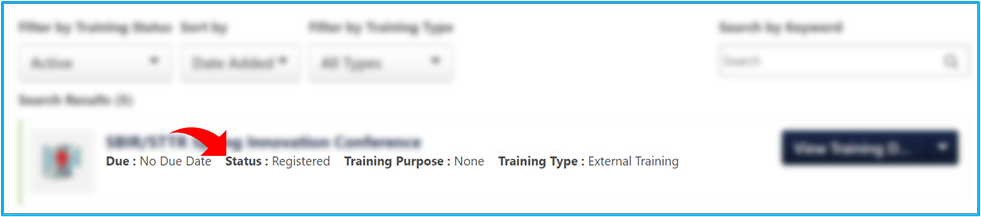
If a user completes the training before the end date they entered, they will need to wait until the end date has passed to request any changes (provide SR below). This means the status of the SF-182 External Training is 'Registered',
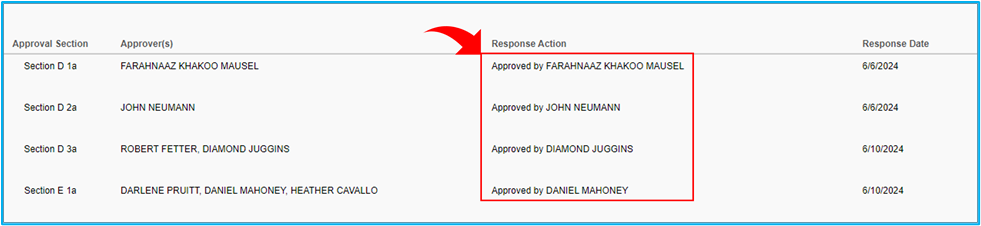
and all 4 approvers have approved the training.
|
If the training status is completed, please create a ticket, this will be sent to the administrators. |
If the training is still pending approval, they will need to contact their approver. Please see the How Do I Edit an SF-182 after Submission? SR. |
| Standard Response: |
Unfortunately, due to the process and approvals, it is not possible to mark an SF-182 External Training as complete until the end date entered. The GAO GROW Administrators have advised that you will need to mark your calendar as a reminder to mark the training as completed on the end date entered.
Once the training has been marked as completed, you can submit a request to edit your training date by sending an email to training@gao.gov.
