| Support Category: ILT Inquiry, VILT Inquiry (select applicable) |
| Specialist Notes: |
IMPORTANT! If a user wants to remove a session with the status canceled, no show, or withdrawn kindly archive the training for the user.
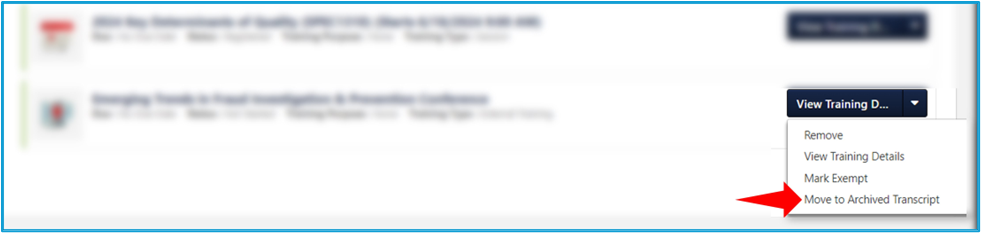
To move the training to their archived transcript, follow these steps: 1. Locate the training within their active transcript. 2. Select the white, downward-facing arrow beside the 'Training Details' button. 3. Select 'Move to Archived Transcript'.
This will remove it from their active list. |
| Standard Response: |
Thank you for contacting GAO Grow End-User Support! Kindly allow me a moment to check the details of your session to be able to advise further.
