| Support Category: Reporting Inquiry |
| Specialist Notes: |
There a different reports users can have access to in their accounts.
There are standard reports, custom reports, and reporting 2.0. Should a user contact us to create a report - please escalate.
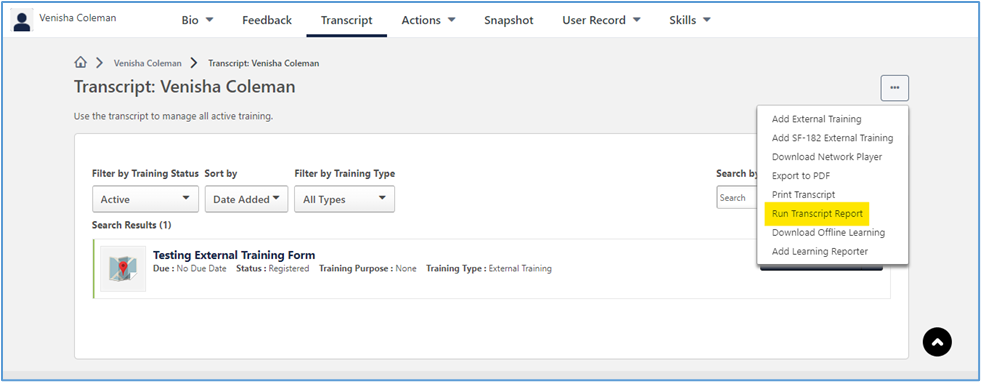
Note: If a user is attempting to get a report of their transcript, we can navigate him/her to the 'Options' button located on the user's 'View Your Transcript'/'Transcript' page. From the drop-down, you can advise the user to select 'Run Transcript Report'. This transcript report feature has different filter options the user can utilize.
| Standard Response: |
Thank you for contacting GAO Grow End-User Support! For help with running a report, we'll need to create a ticket to send you the guidelines to do so. For the ticket, would you be able to provide us with the following information:
1. Type of Report:
2. Reason for running the report:
3. Course Name - if there is a specific course you need a report on.
